
Getting started is simple
Set up your restaurant, share your booking page and start managing reservations with Table Harmony.
1. Create your account
Start your 30-day free trial and choose the plan that suits your restaurant. No card required.
- Choose Simple or Plus
- Enter your restaurant details
- No card required
2. Set up your restaurant
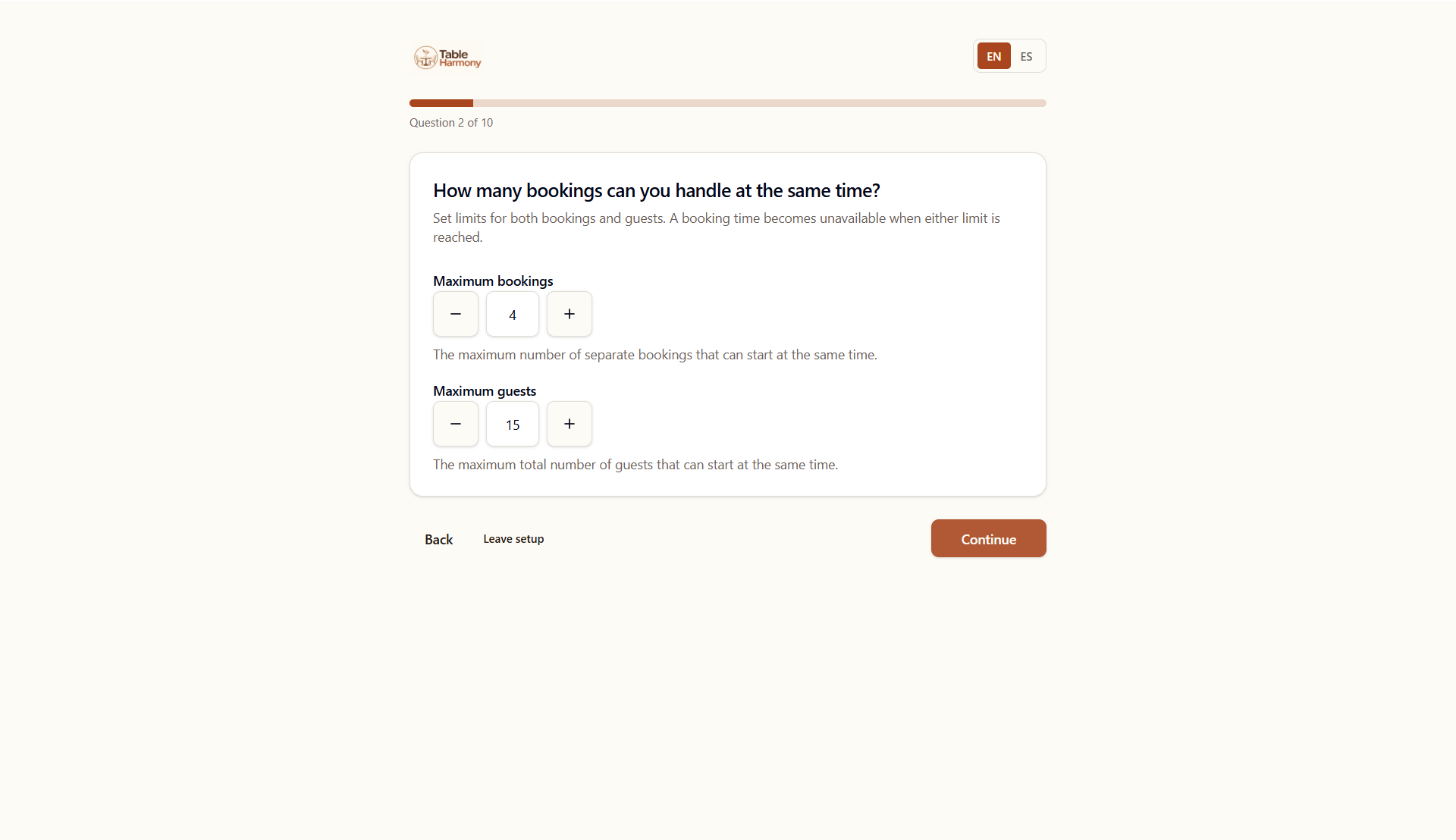
Table Harmony guides you through the essential settings you need to start taking reservations.
Set your opening times, booking rules and availability step by step. Plus restaurants can continue with table and service setup, or configure these options later.
3. Share your booking page
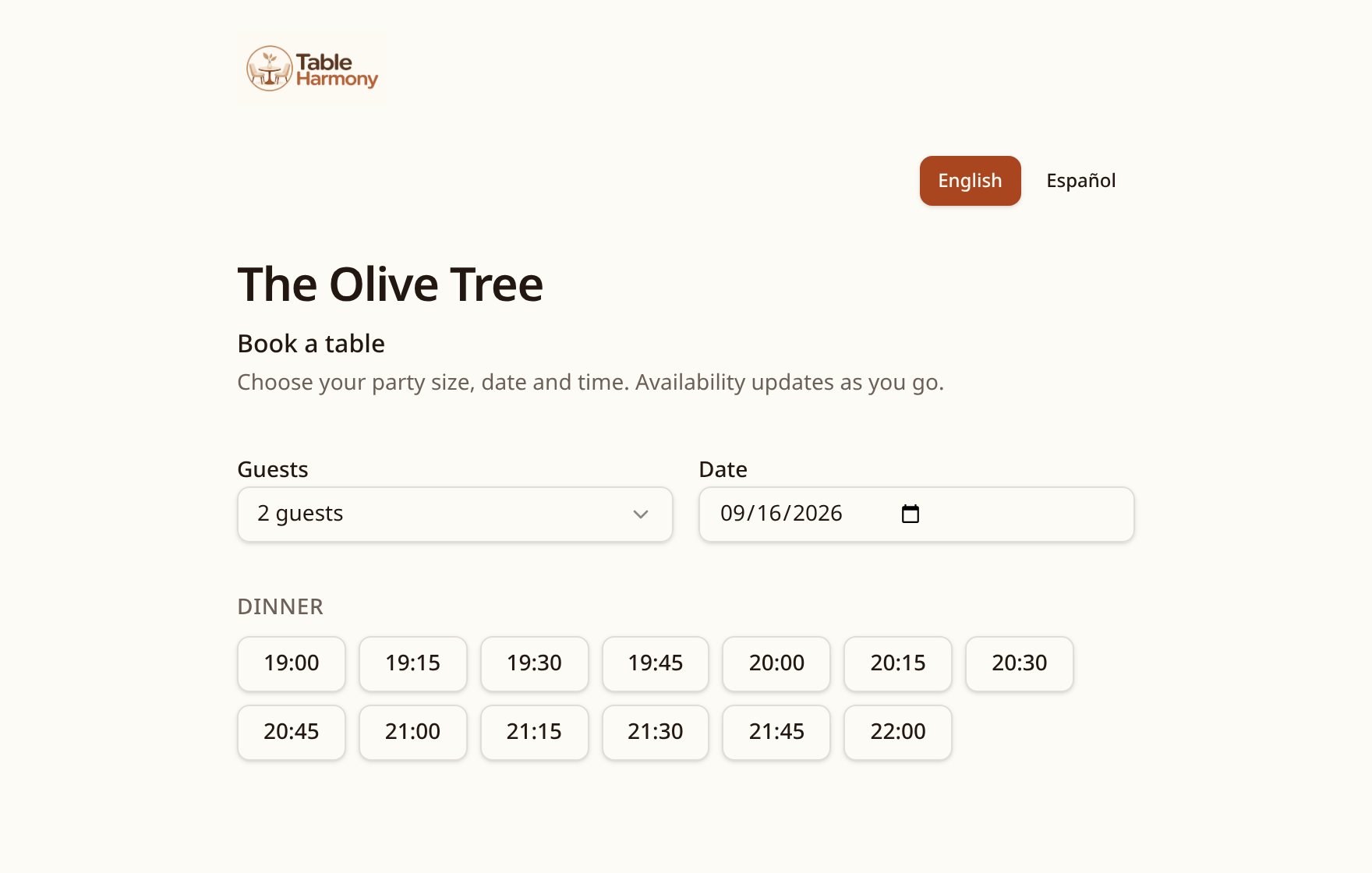
Your restaurant gets its own online booking page. Add the link to your website, Google profile or social media so guests can book directly with you.
4. Start taking bookings
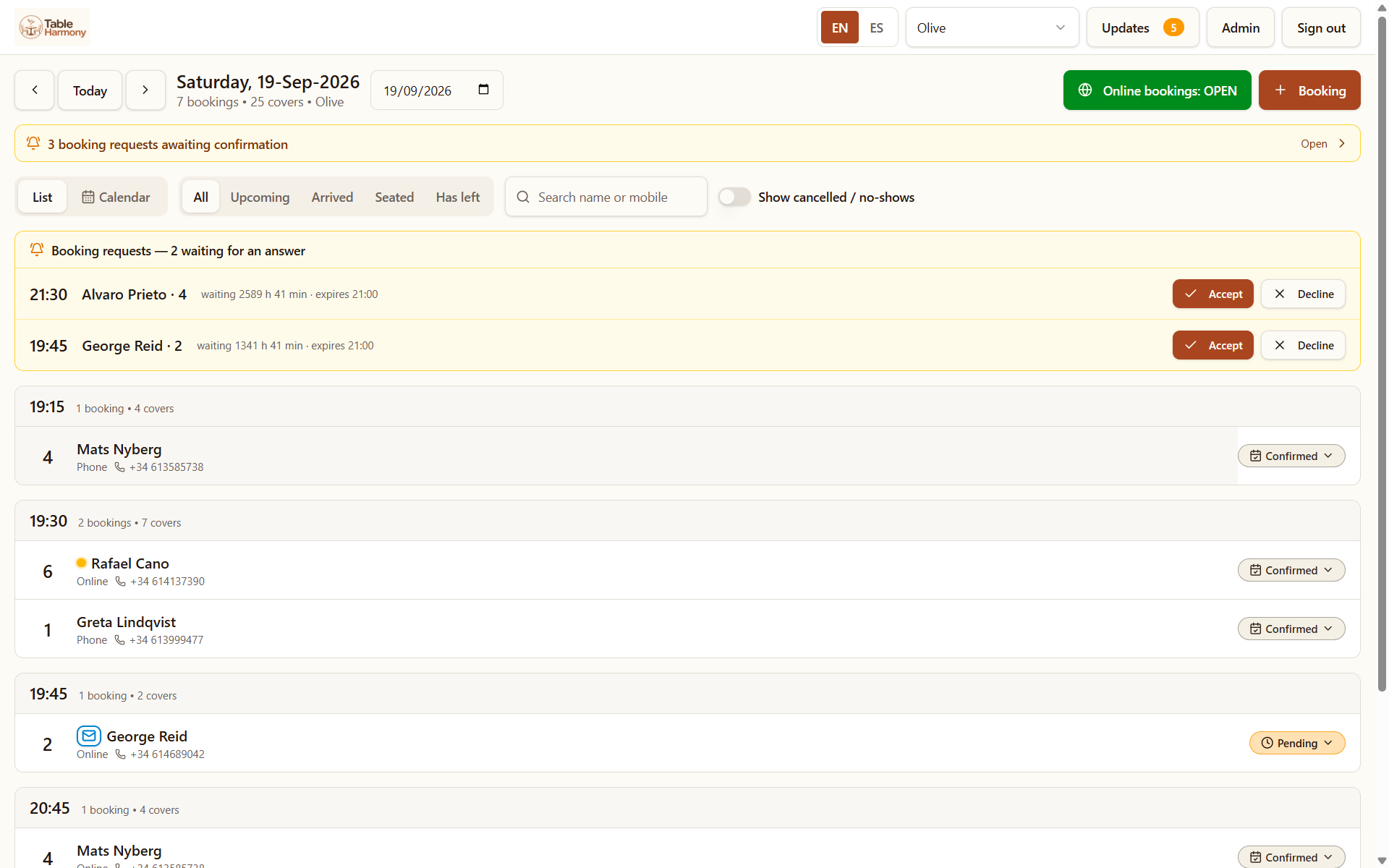
With Simple, new booking requests appear in Table Harmony for you to accept or decline. With Plus, you can use the same request system or choose automatic confirmation.
View upcoming reservations, manage booking requests, add reservations manually and keep everything together in one place.
Use the devices you already have
Table Harmony works on Windows, Android and Apple devices. No specialist equipment is required. For everyday use in the restaurant, we recommend a tablet with a screen of at least 10 inches.
Ready to get started?
Try Table Harmony free for 30 days. No card required.