Features

Practical reservation and table management tools for every restaurant service.

Harmony & Harmony Plus

Table and service management

Table management and Smart Table Allocation are included in Harmony at €20/month + IVA and in Harmony Plus. Set up your areas, tables and combinations, or leave table management off and use booking and cover limits alone.

Smart Table Allocation finds suitable tables while considering the space left for other bookings, helping avoid unnecessary gaps during service.

  • Manage tables across different restaurant areas
  • Set up table combinations for larger parties
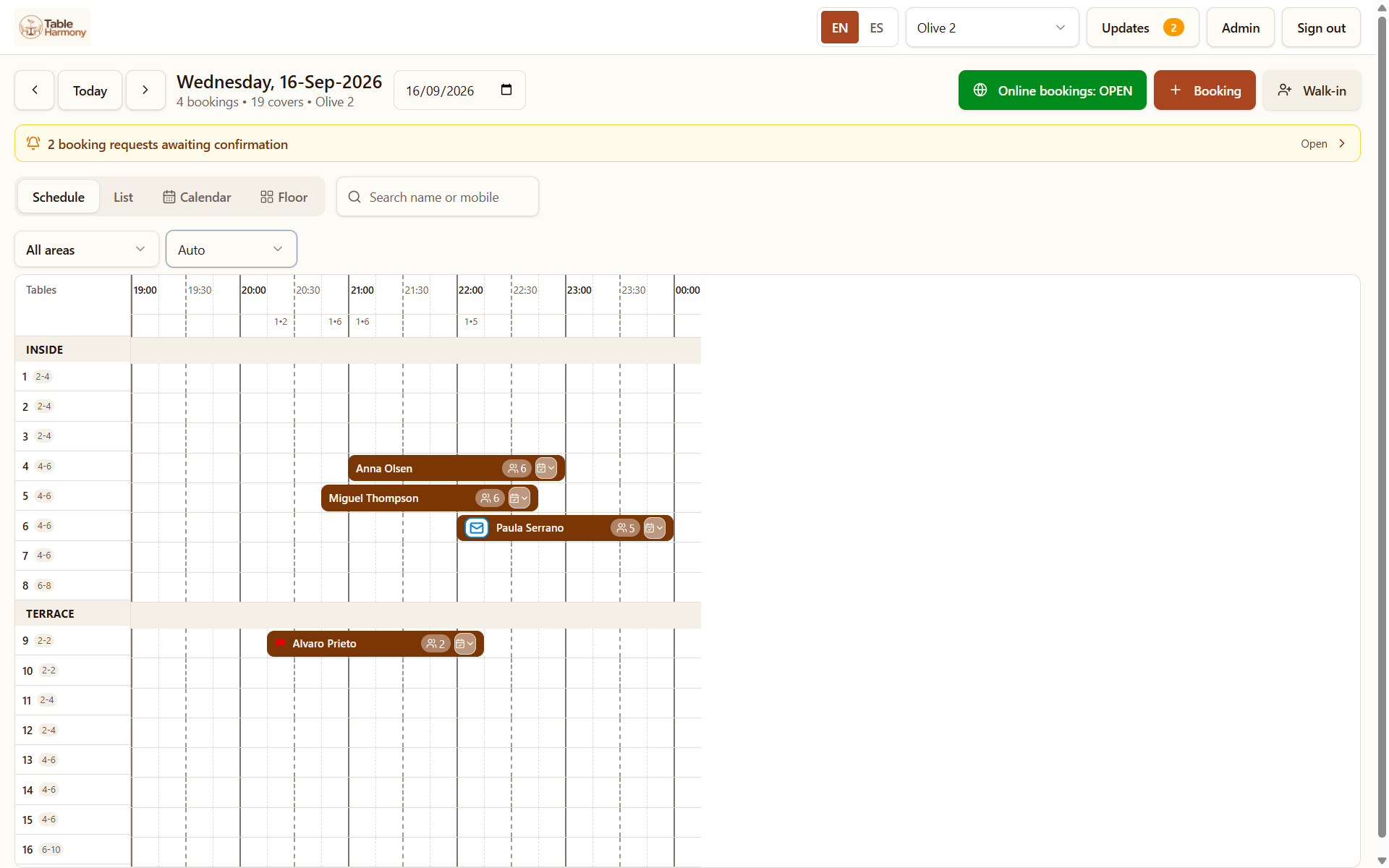
  • See reservations by table and time
  • Smart Table Allocation
  • One standard booking duration for your restaurant
The table schedule showing bookings across inside and terrace tables through the evening
Table schedule

Walk-in guests? Find them a table in seconds.

Click Walk-In, enter the party size and optionally choose a preferred area. Table Harmony automatically finds suitable tables available now, or suggests the next suitable table and time if one is available later. Then simply create the reservation.

Requires table management to be switched on. With Short Sittings enabled, Harmony Plus also shows tables available for a limited time and how long guests can stay before the next reservation.

Harmony & Harmony Plus

Online reservations

Give guests a direct way to book online, with every booking confirmed the way you choose.

  • Your own online restaurant booking page
  • Available times based on your opening hours and booking limits
  • Booking requests you accept or decline, or automatic confirmation
  • Request updates and confirmation emails for guests
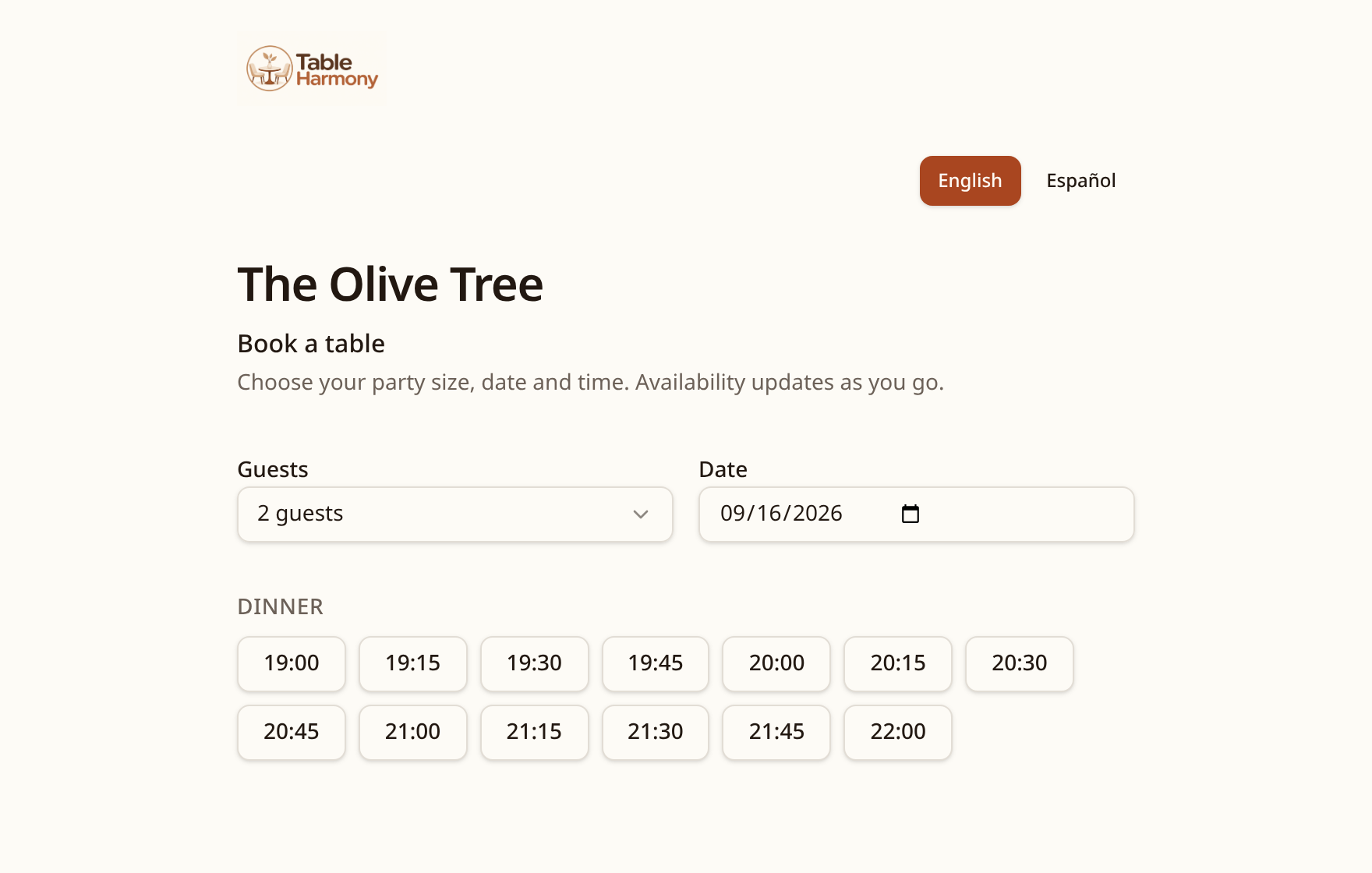
The online booking page showing guest, date and dinner time choices
Online booking page

Combine both methods by party size

You don't have to choose one method for every booking. You can confirm smaller groups automatically and review larger ones yourself.

Example: the rules Patagonia has chosen

  • 1–8 guests: confirmed automatically when availability and rules allow.
  • 9–12 guests: sent as requests for the restaurant to review.
  • More than 12 guests: asked to contact the restaurant directly.

These are Patagonia's own settings. Each restaurant sets the rules that suit its service.

Read: booking requests or automatic confirmation?
Harmony & Harmony Plus

Reservation management

Keep online reservations alongside the telephone, WhatsApp, Facebook Messenger and walk-in bookings your staff enter manually. Nothing is automatically imported or synchronised from calls or messages.

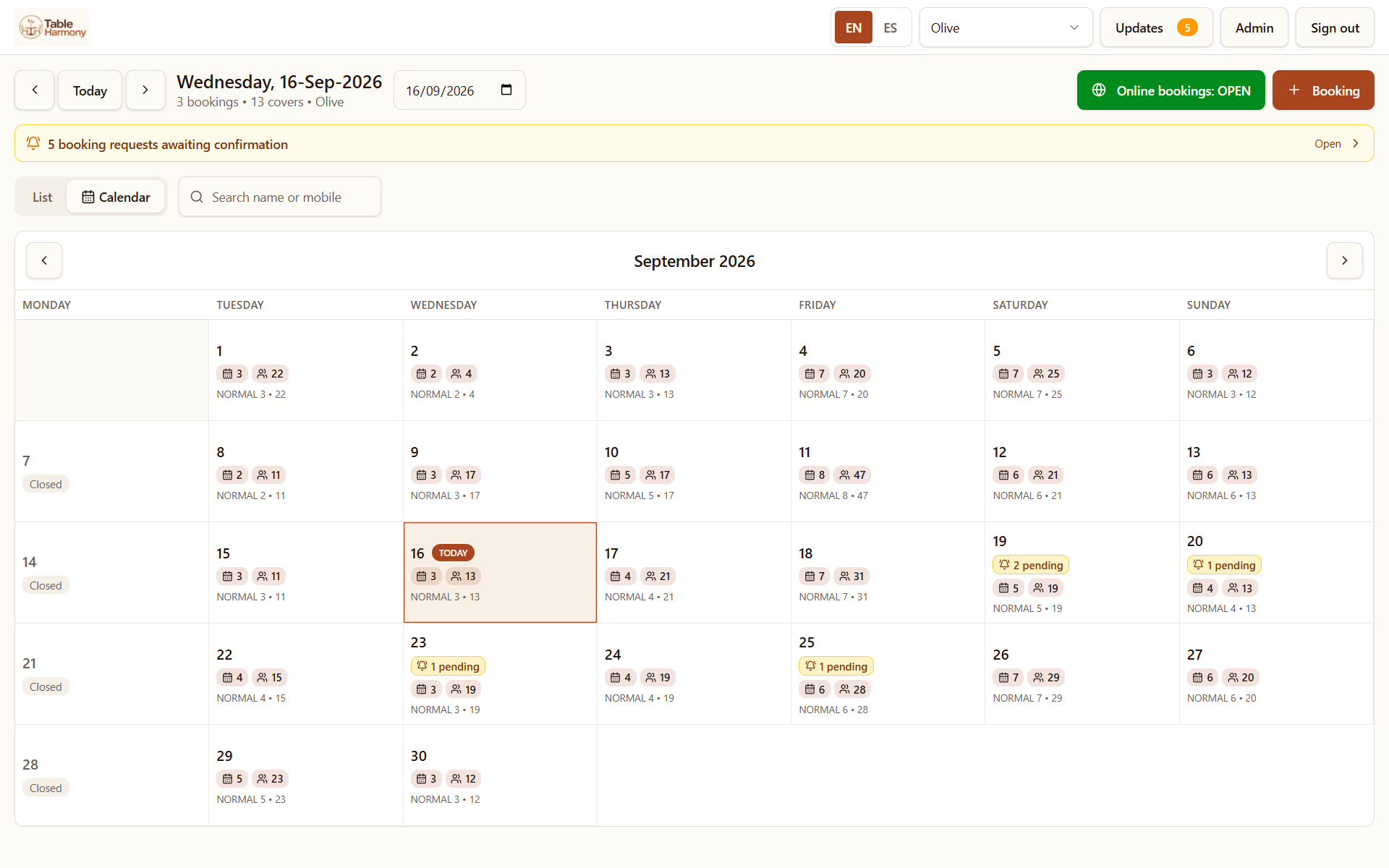
  • Day list and month calendar views
  • Manually add telephone, WhatsApp, Messenger and in-person reservations
  • Open and update booking details
  • Track each booking's current status
  • Keep useful notes with a booking
  • Ask Table Harmony: in-app AI help that explains features and helps navigate settings; it does not change settings or reservations independently
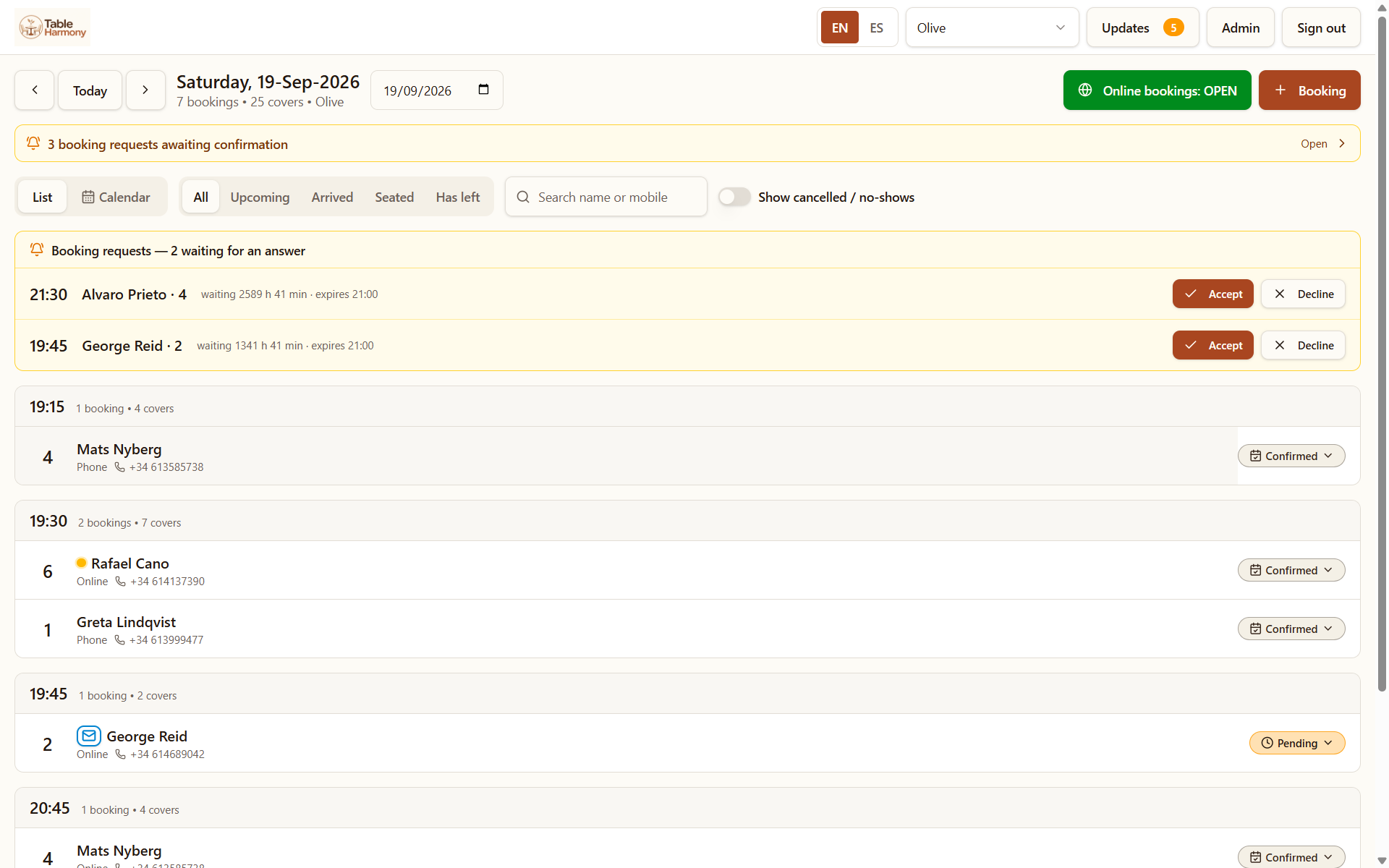
The booking list for one day, grouped by time with guest names, covers and confirmed status
Today's bookings
The month calendar showing bookings and covers for each day, with pending requests marked
Month view
Harmony & Harmony Plus

Guest communication

Keep guests informed about their reservation without moving between different systems.

  • Booking confirmation emails
  • Updates when a booking request changes
  • Messages about an individual booking
  • Booking information kept with the conversation
Harmony & Harmony Plus

Availability and booking controls

You decide when guests can book, how far ahead they can reserve and the party sizes you want to accept online.

  • Opening and service times
  • Minimum booking notice
  • Advance booking window
  • Maximum online party size
  • Booking and availability rules for each service

Optional add-onAvailable with Harmony & Harmony Plus

WhatsApp confirmations, reminders & two-way chat

Help reduce no-shows with instant WhatsApp confirmations, reminders and a real conversation with your guests.

€15/month + IVA

Includes 300 messages per month

€0.07 + IVA per additional message

Confirmations

Instant WhatsApp confirmations with one-tap confirmation or cancellation, so cancelled tables can become available again.

Reminders

Booking reminders delivered via WhatsApp before the visit.

Live two-way messaging

Guest replies appear on the booking sheet in service view. Your team can reply straight back without leaving Table Harmony.

Standard email communications remain included at no extra cost.

Email vs. WhatsApp

A reminder only helps if your guest sees it — and can easily tell you when plans change.

Email notifications

  • Emails can end up in spam or promotions folders.
  • Easy to miss when guests are on their way to dinner.
  • Finding an email and writing a cancellation takes effort — guests may simply not turn up.

Table Harmony WhatsApp · Two-way

  • Straight to the guest’s phone, where a notification can be noticed within minutes.
  • One-tap confirmation or cancellation helps free up tables when plans change.
  • Live two-way messaging keeps guests and your team in touch.

Email remains included at no extra cost. WhatsApp is optional; delivery and reading times vary, and no-show reduction is not guaranteed.

Your Host Stand Has a Direct WhatsApp Line

When a guest replies to their booking confirmation or reminder, their message appears directly on the Table Harmony booking sheet in service view. Staff can reply straight back.

“Running 15 mins late”, “Can we have a high chair?” or “Can’t make it” — keep the conversation with the booking, not on a separate phone.

Why WhatsApp reminders can help reduce no-shows

Table Harmony

Service view · Booking sheet

Alex · 4 guests · 20:00

WhatsApp conversation

Guest · 19:45

We’re running 15 minutes late. Can we have a high chair?

Restaurant · 19:46

Thanks for letting us know. We’ll have a high chair ready.

Illustrative conversation — not a screenshot of the app.
Harmony Plus

More with Harmony Plus

Everything in Harmony, plus tools to see your floor, get to know your guests, attract bookings and make better use of your availability.

Visual floor plan

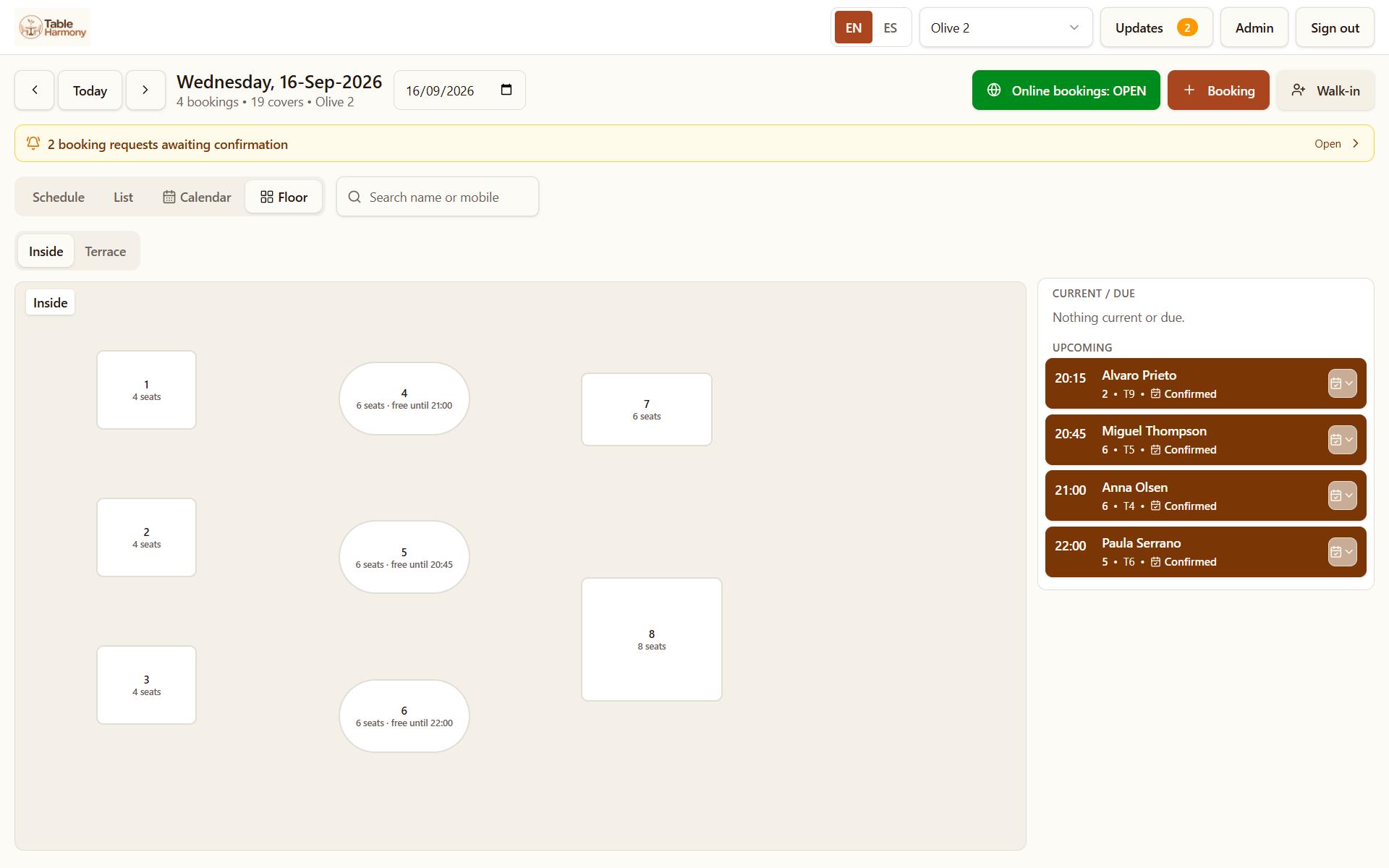
See your restaurant laid out as it really is, with tables and upcoming bookings in one view.

The floor view showing table layout with seats and the upcoming bookings list
Visual floor plan — Harmony Plus

Guest records

Keep guest information, visit history, notes, flags and no-show records together for future visits.

Guest feedback

Collect feedback from your guests after their visit and see what they thought about their experience.

Offers and events

Create offers for quieter times and bookable events with their own dates, times and conditions.

Custom booking questions

Ask guests the questions that matter to your restaurant when they book, so you have the details you need before they arrive.

Durations by party size and Short Sittings

Set different durations for different party sizes, and offer shorter sittings in gaps that would otherwise go unused.

Duplicate booking protection

Help prevent accidental duplicate reservations by identifying when a guest may already have a booking.

Ready to simplify your reservations?

Try Table Harmony free for 30 days. No card required.

More about how bookings work